Product overview
AI-powered video creation and editing
Pictory uses AI to help people create and edit professional videos from scripts, articles, and long-form recordings.
Story to add: scope at a glance
- Product stage, timeline, and the business goal when you joined.
- Your decision ownership as Founding Designer and Product Manager.
- A one-sentence outcome that previews the result of the work.
My role
Founding Designer
Product Manager
Collaborators
Abid (Product Head)
Vishal (CTO)
Vikram (CEO)
Market opportunity
Making professional video creation accessible
Traditional video-editing products were processor-heavy desktop tools designed for specialists. Content creators, course creators, and social-media marketing managers often depended on expert editors or outsourced production. Emerging AI capabilities and a lightweight SaaS delivery model created an opportunity to make professional video creation accessible to non-editors.
Why SaaS + AI created an advantage
A browser-based SaaS product could remove the installation, hardware, and specialist-skill barriers associated with traditional video-editing software. AI could then automate time-consuming work such as summarizing source content, creating a storyboard, selecting visuals, and preparing a first edit. Together, these advantages gave Pictory a focused entry point: help non-editors turn existing content into professional, shareable videos in minutes.
Strategic implication: Rather than competing feature-for-feature with professional editing suites, we could prioritize speed to value, guided automation, and an experience designed around the jobs of content and marketing teams.
Market evidence to add
- Competitive alternatives customers used and the gaps you observed.
- Market, behavioral, or business evidence that demonstrated why this opportunity mattered.
- Why this was the right opportunity for Pictory to pursue at that moment.
- If you add a “Pictory today” statistic, use a first-party source where possible, include an as-of date, and keep it separate from outcomes achieved during your involvement.
Customer problem & insights
Creator's pains
As part of content based marketing, so much content is developed in the form of blogs,technical articles
and whitepapers. Almost all of it is text heavy and is not suitable for easy and effective consumption.
It is a known fact that video drives engagement and drives traffic to the product, generate leads and helps in greater customer acquisition.
Most of the marketing teams rely on expert video editors and outsource video production.
The approvals,team management,resource management is an additional overhead.
"Marketing managers across industries spent $135 Billion dollars in 2017 on video content."
On the other hand, there are long-form videos of conferences, interviews, courses and are not suitable to be
shared on the social media. It is not easy to extract snippets from the video and share without relying on a
video editor.
While producing video content, there are multiple takes and it is time consuming to identify the right take. Also, adding subtitles, voice-over, B-rolls, background music require licensed content and rely on
multiple softwares.
Evidence to add
- Customer segments interviewed and how many conversations or studies informed the work.
- The most important behaviors, quotations, or data that changed your understanding.
- The customer job-to-be-done you chose to solve first—and why.
Product thesis & success criteria
Magic wand for videos
We wanted to make the most usable video editing software for content creators and marketing managers who want professional video content worth sharing on social media.
"Video boosts conversion rates by 80%. LinkedIn Videos get shared 20x more often"
Reasoning to add
- State the product hypothesis in an “If we…, then…, because…” format.
- Define the customer outcome and business outcome the team intended to improve.
- Add the leading and lagging success metrics agreed before building.
Product strategy & MVP scope
Create. Edit. Share
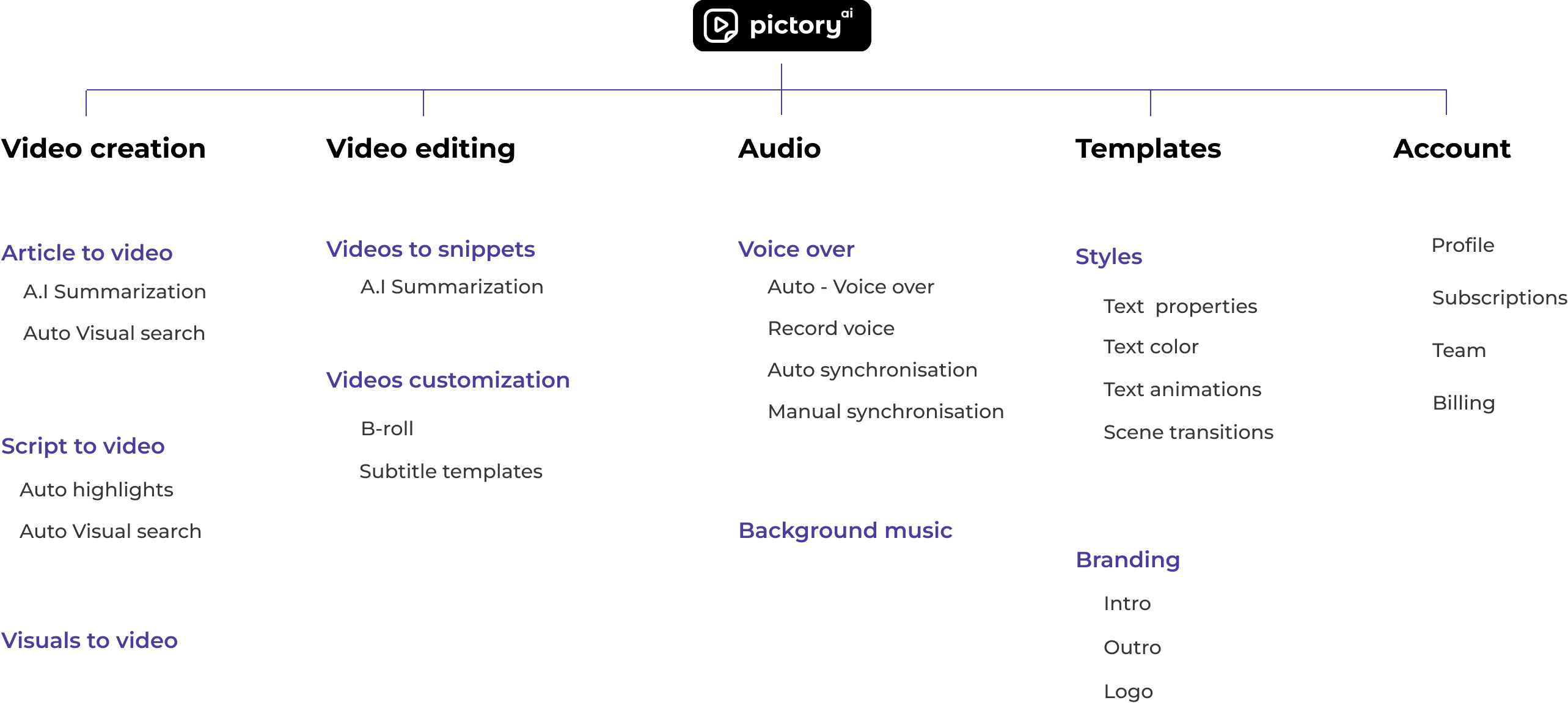
Through qualitative and quantitative user research by interviewing multiple Marketing
Managers, Video Editors we identified main themes for Pictory so that
we create compelling videos in minutes.
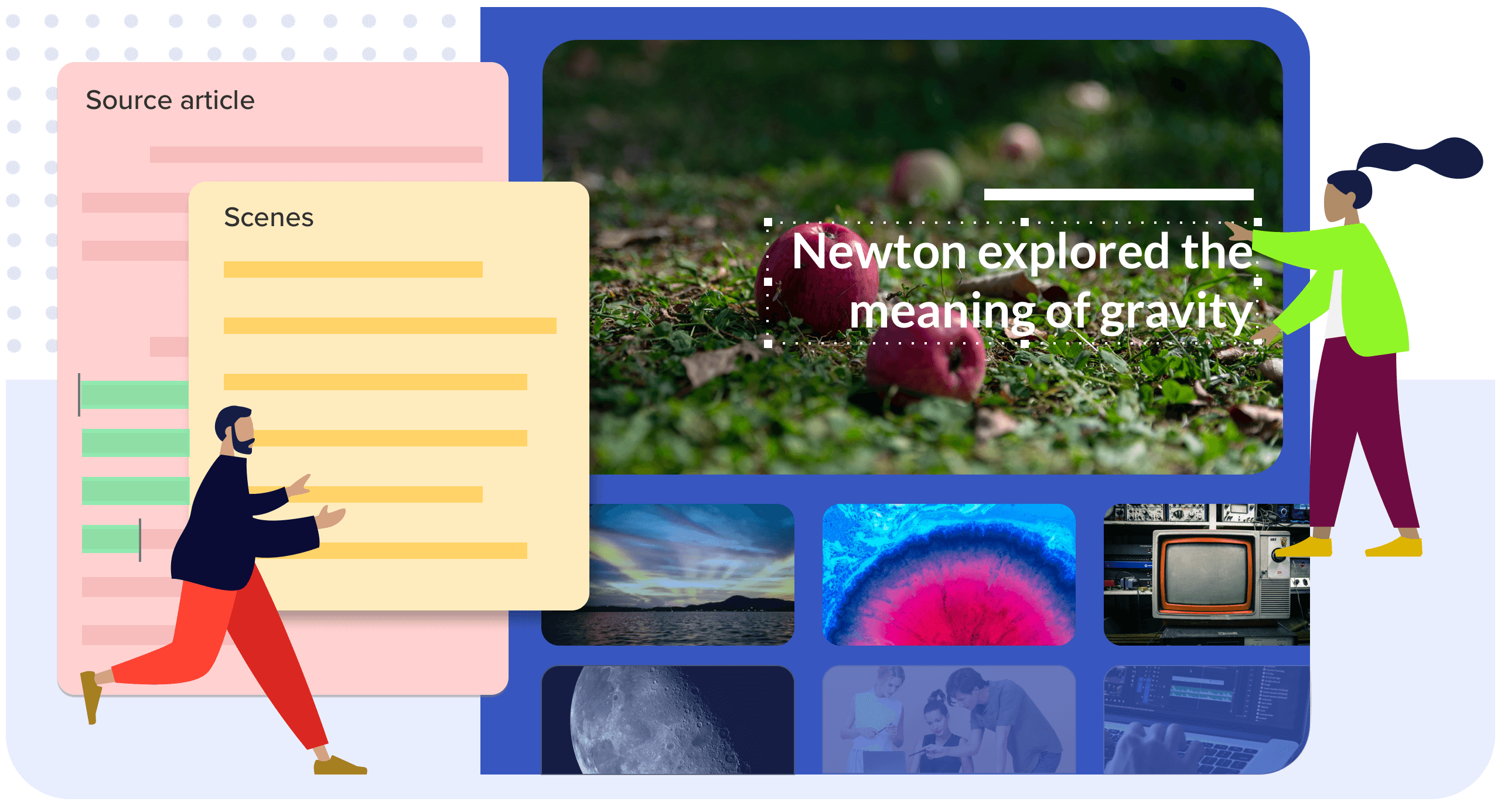
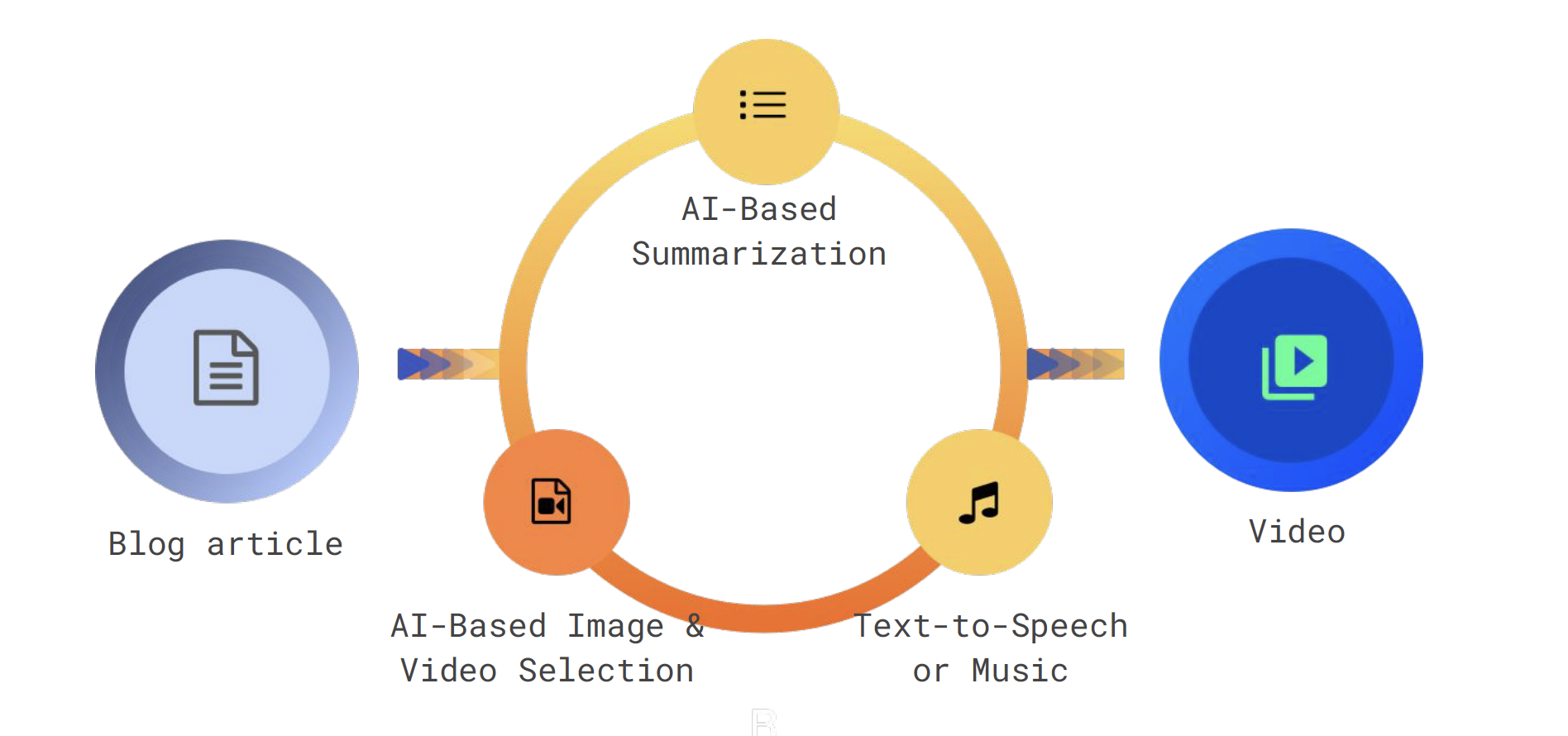
- Automatically summarize text content.
- Automatically create video story board.
- Automatically add voice-over and background music.
- Customize the video and publish.
Prioritization story to add
- Alternatives considered and the criteria used to rank them.
- What entered the MVP, what was deferred, and what you explicitly chose not to build.
- How customer value, business value, AI feasibility, and time-to-market shaped the roadmap.
DESIGN WORKFLOWS
Turning the product strategy into an end-to-end experience
Use this framing for each workflow
Customer problem → product decision → alternatives considered → tradeoff → validation or result.
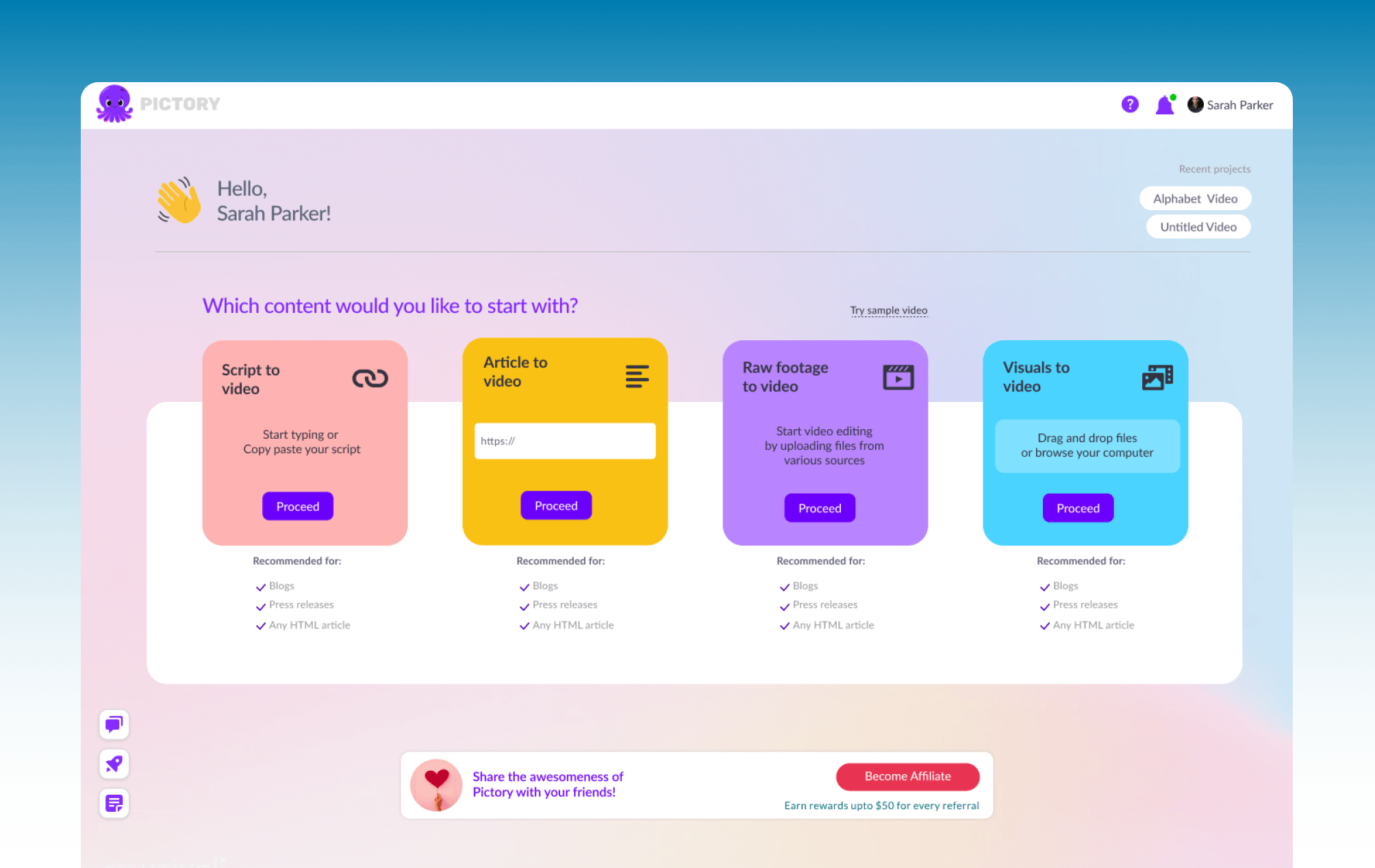
Entry point
Accommodating all the scenarios.
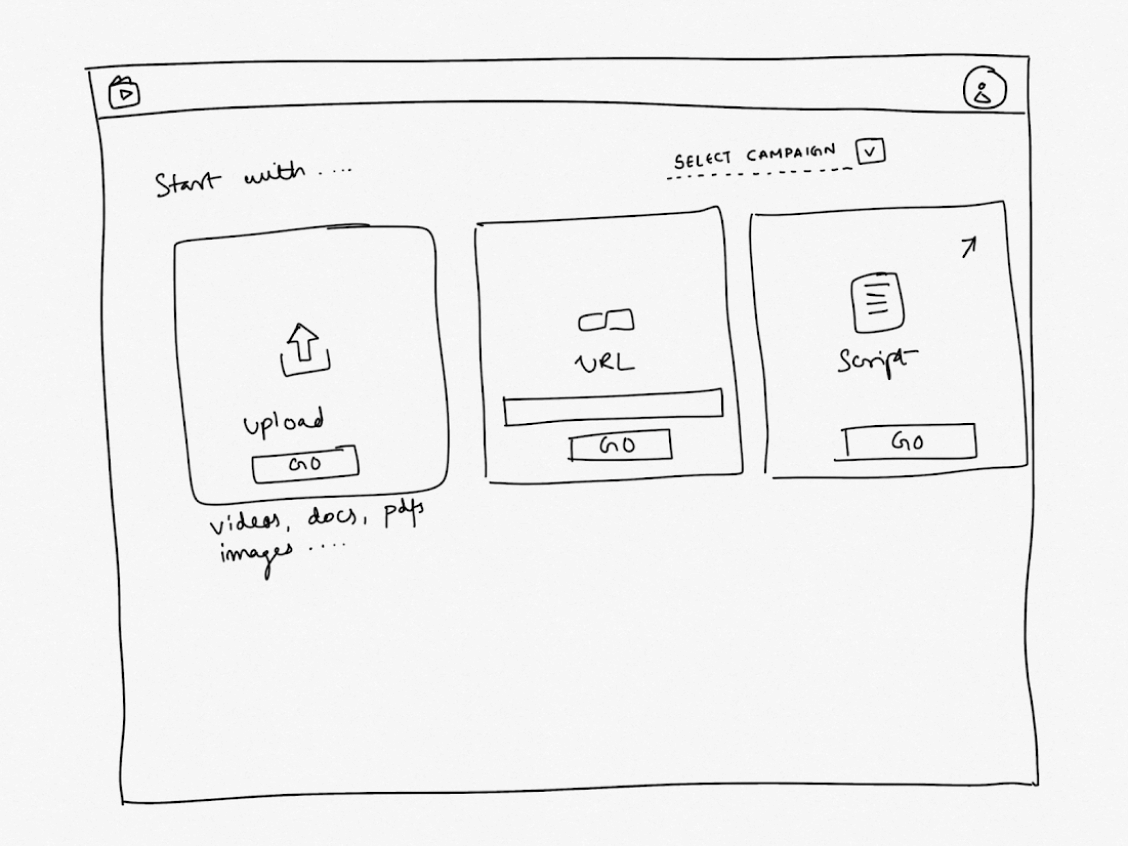
Low-fidelity sketch
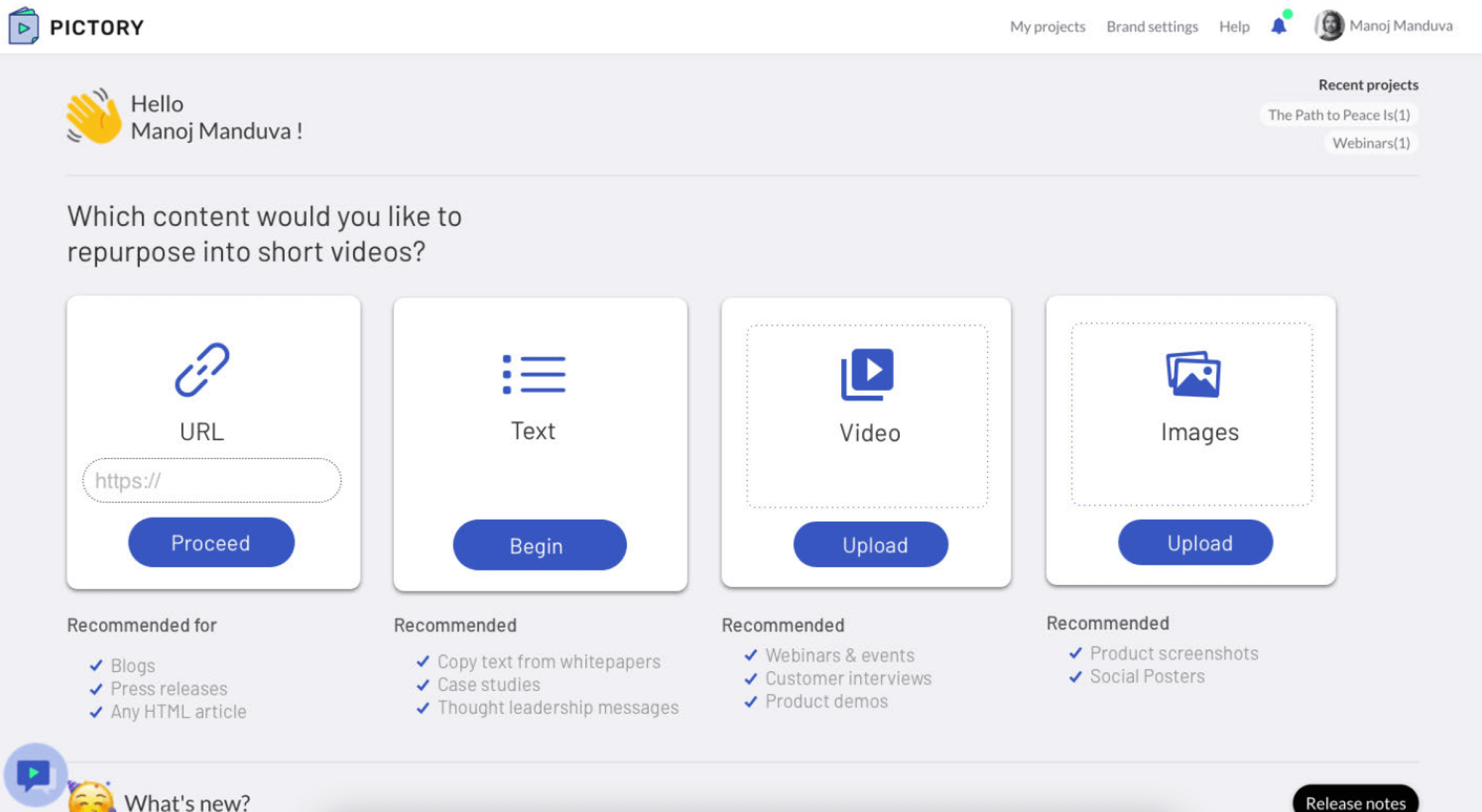
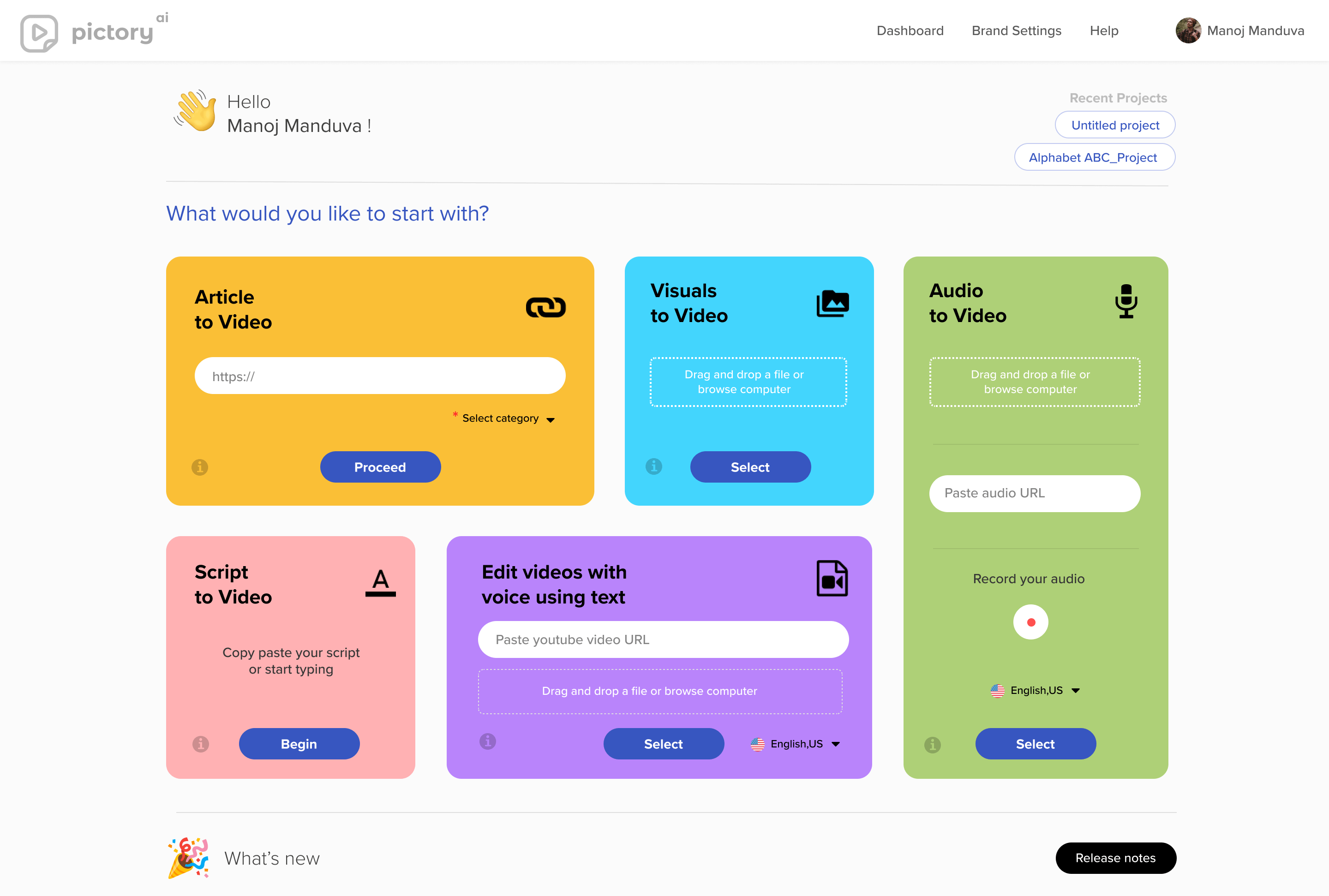
Started with the basic home page which can accept URL, Text input as a script and Video.
Scroll to see iterations ➡️
Video from images
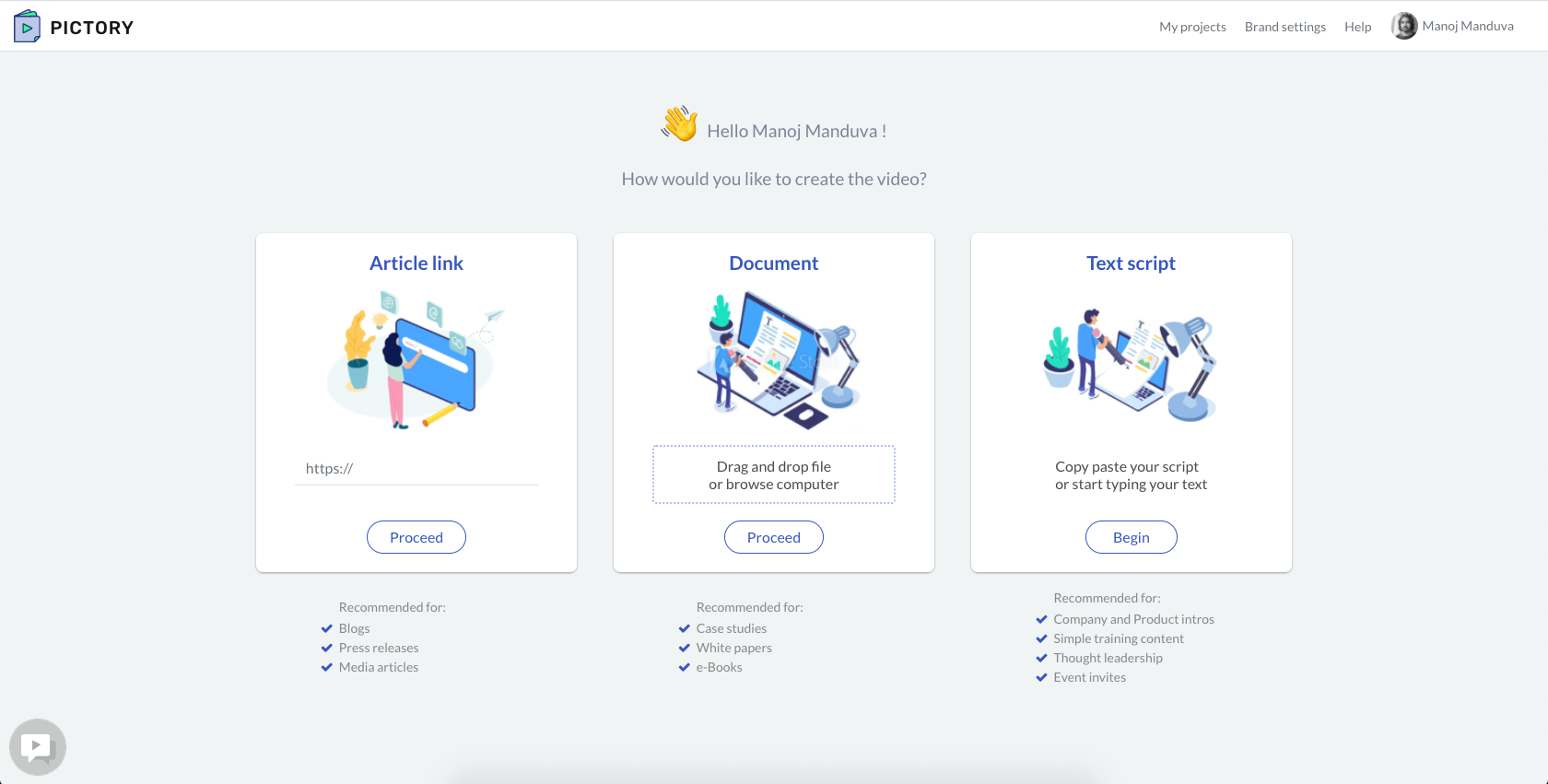
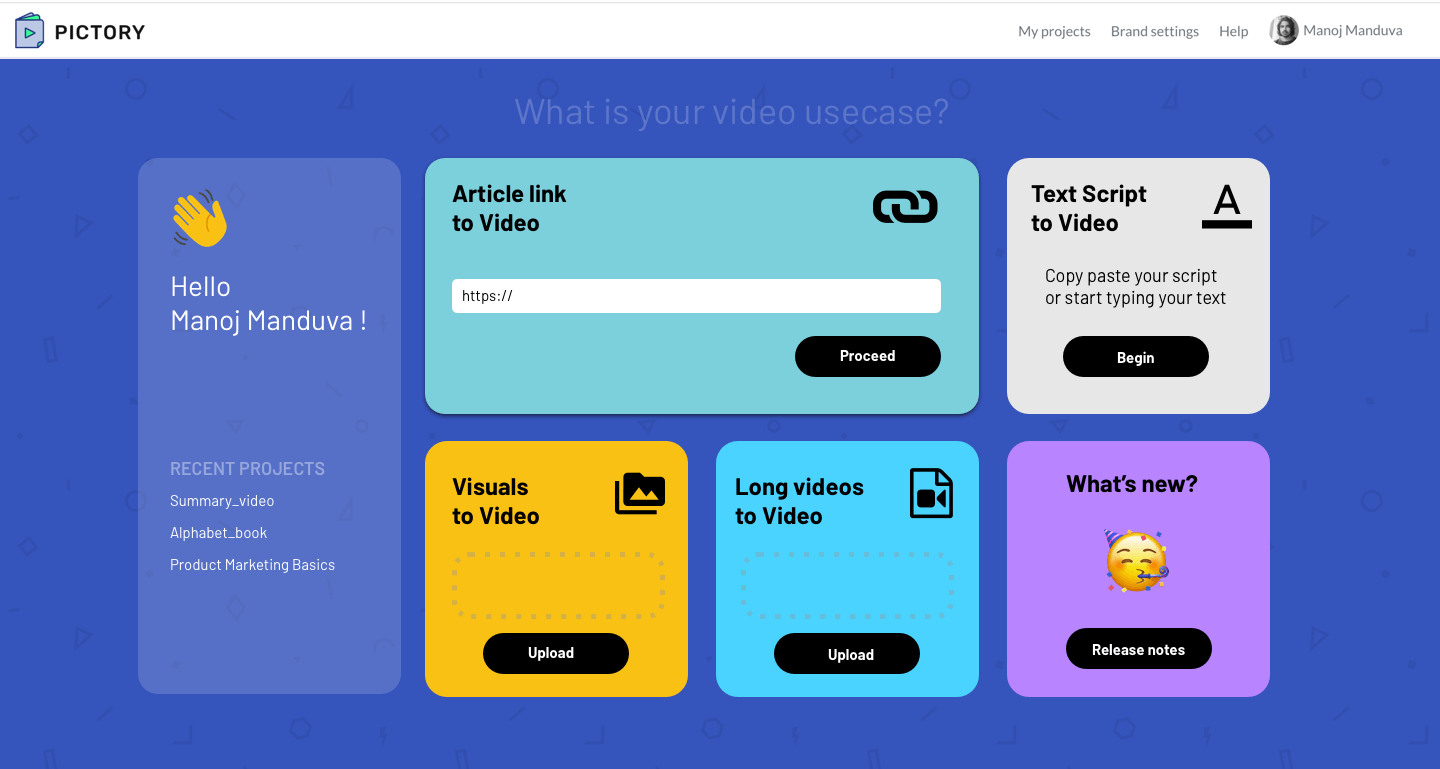
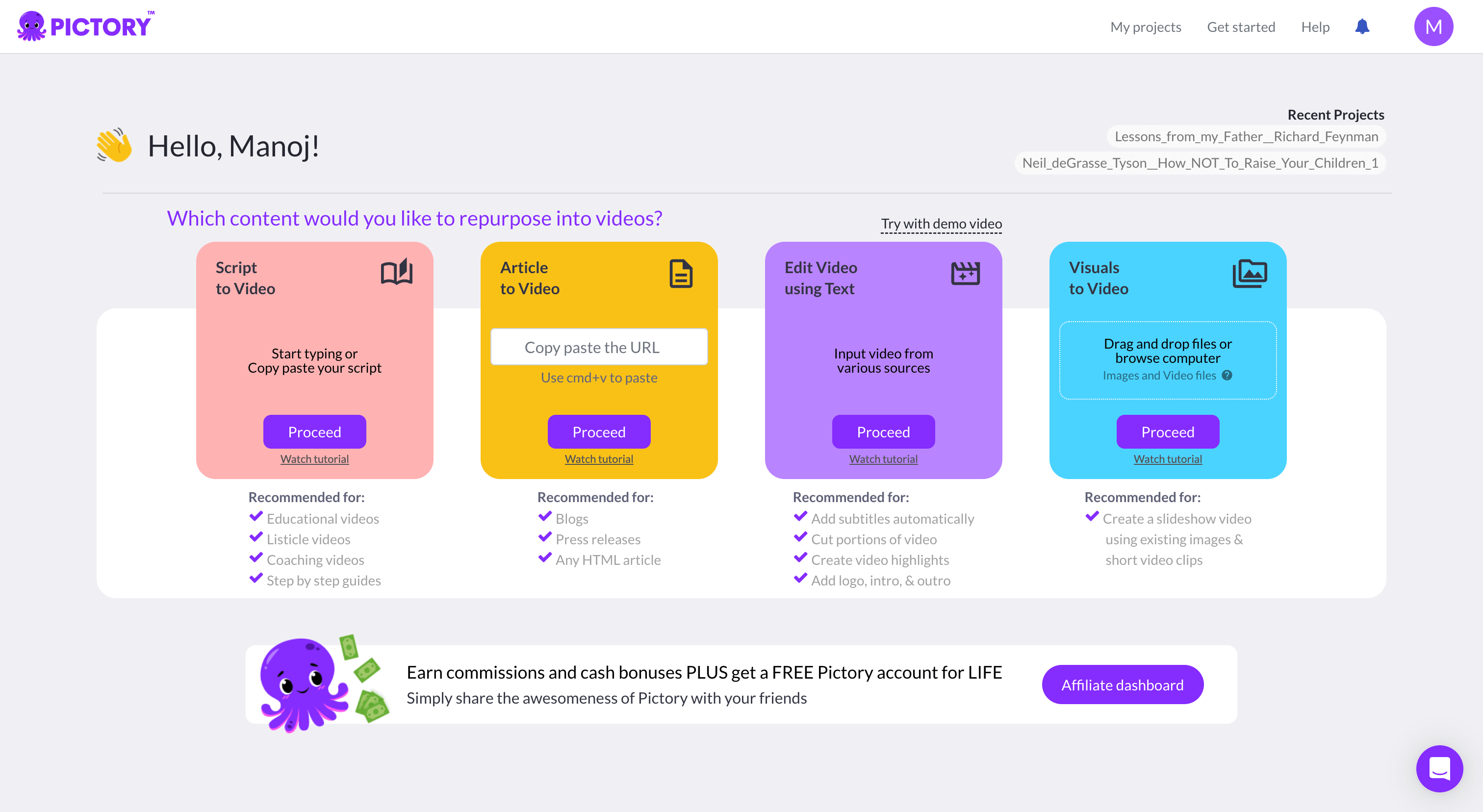
I added images to make the scenarios more apparent, however I replaced the illustration to simple icons
so that it is easy to identify. Also we added another scenario of 'Images to Video'.
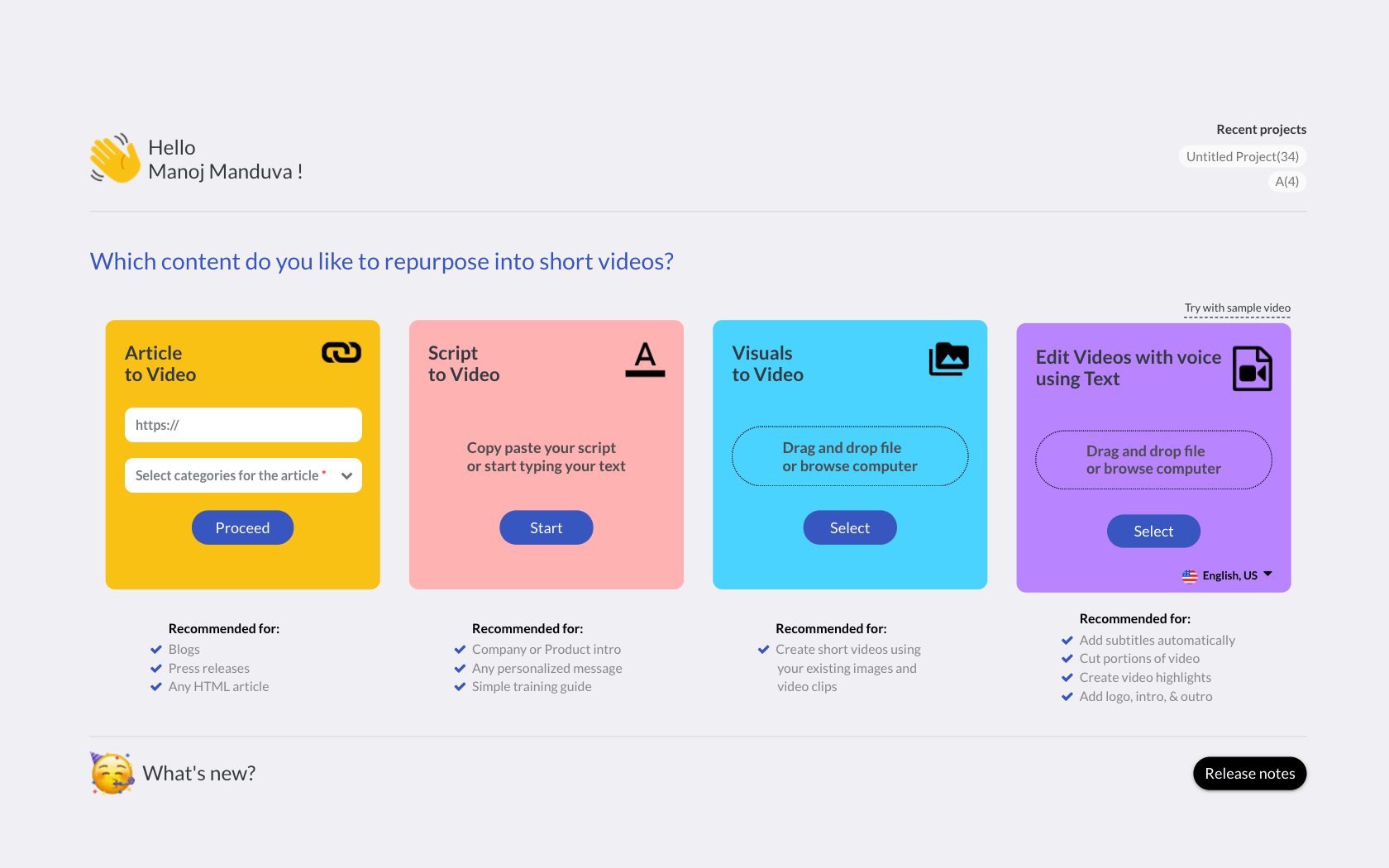
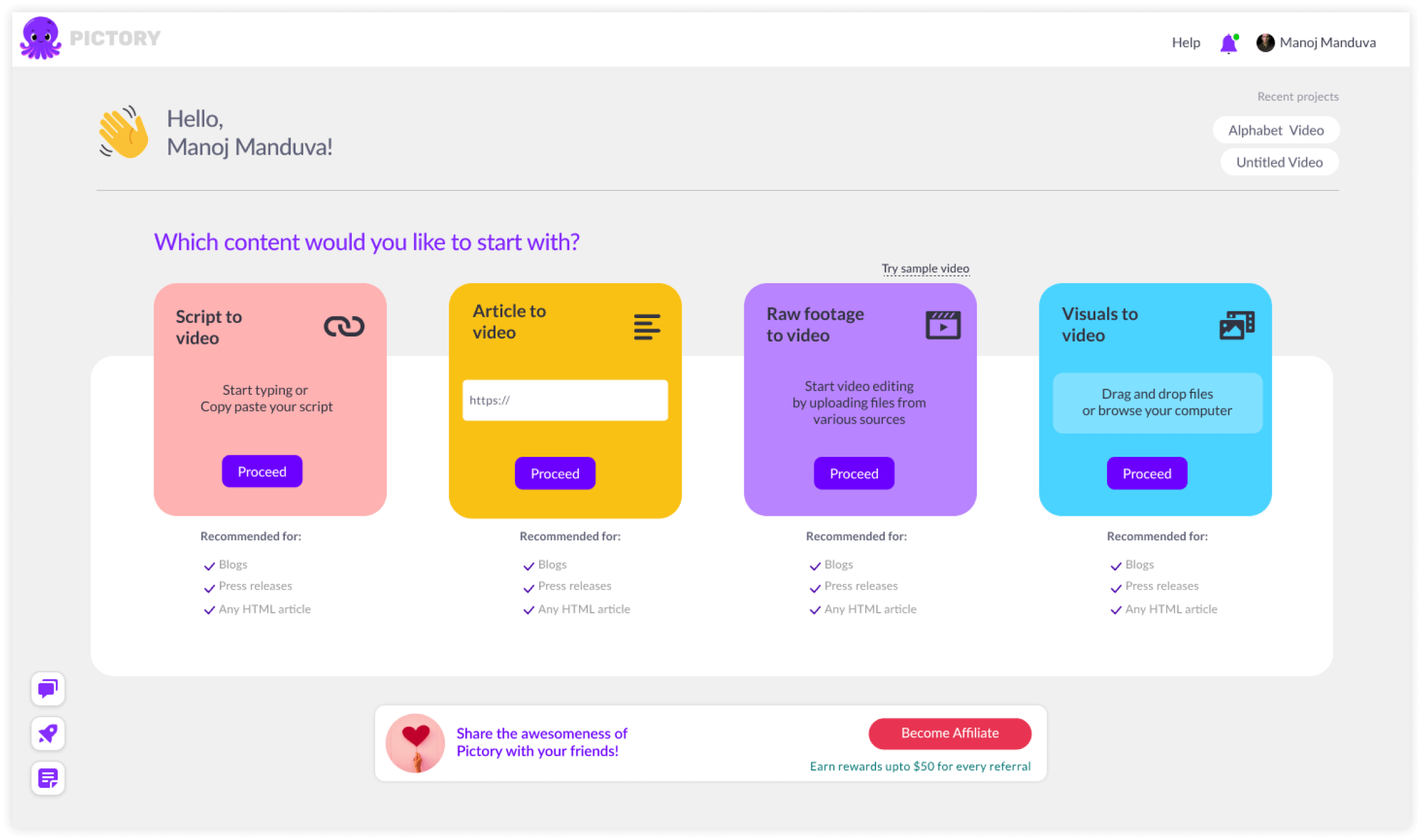
Later I tried variations
to accommodate longer URLs and 'Audio to Video' scenarios.
Video from text
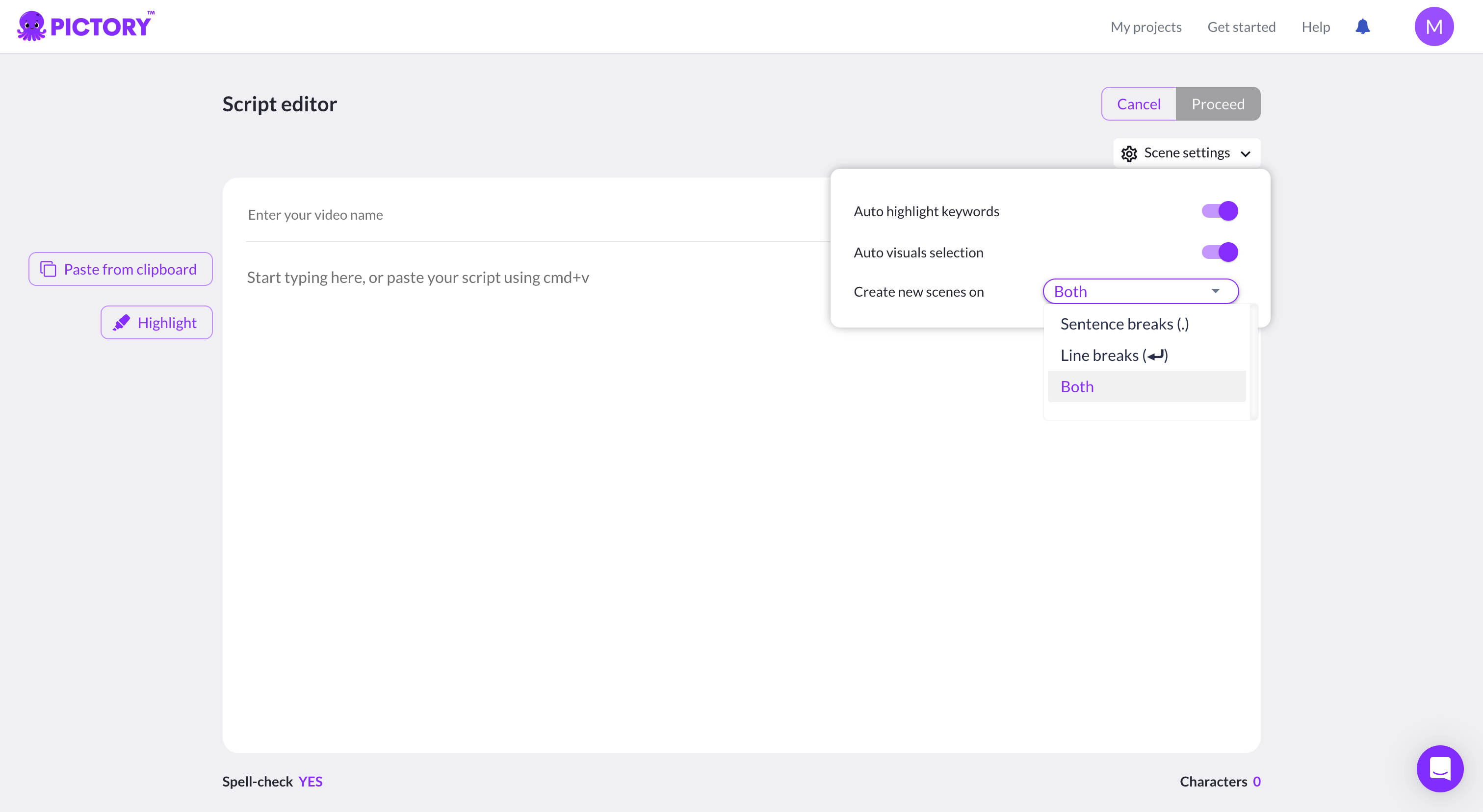
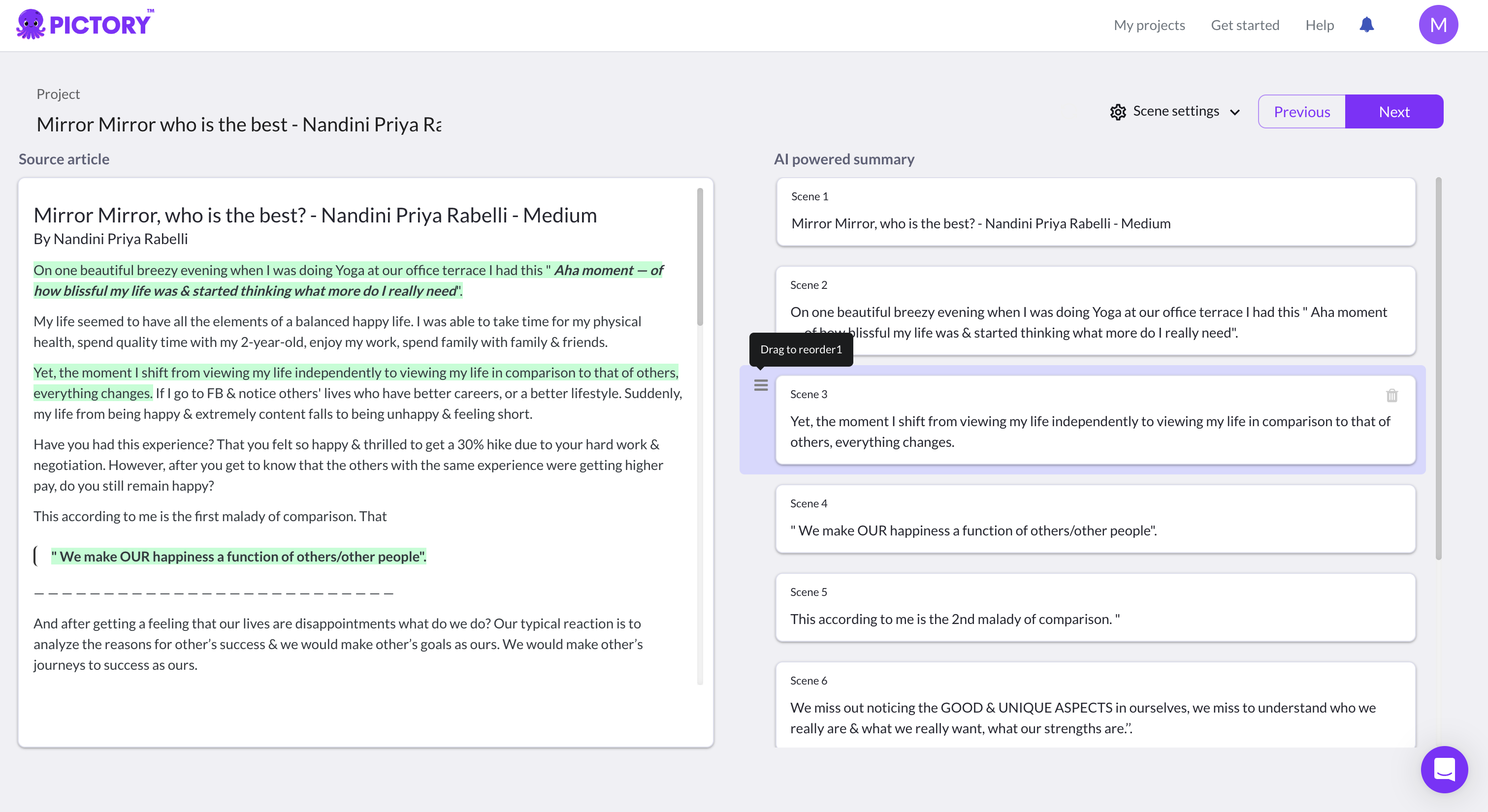
URLs or script to a summarized text
Users could write a script and every line break or the period is considered as an individual scene in the video.
Also users could give an URL and text is extracted and summarized with help of AI and scenes are created.
There are actions users can take on summarized text like :
1. Highlight sentences to be included in the video
2. Remove highlights or Delete scenes
3. Reorder scenes
Editing videos like a document
Long form videos to consumable snippets.
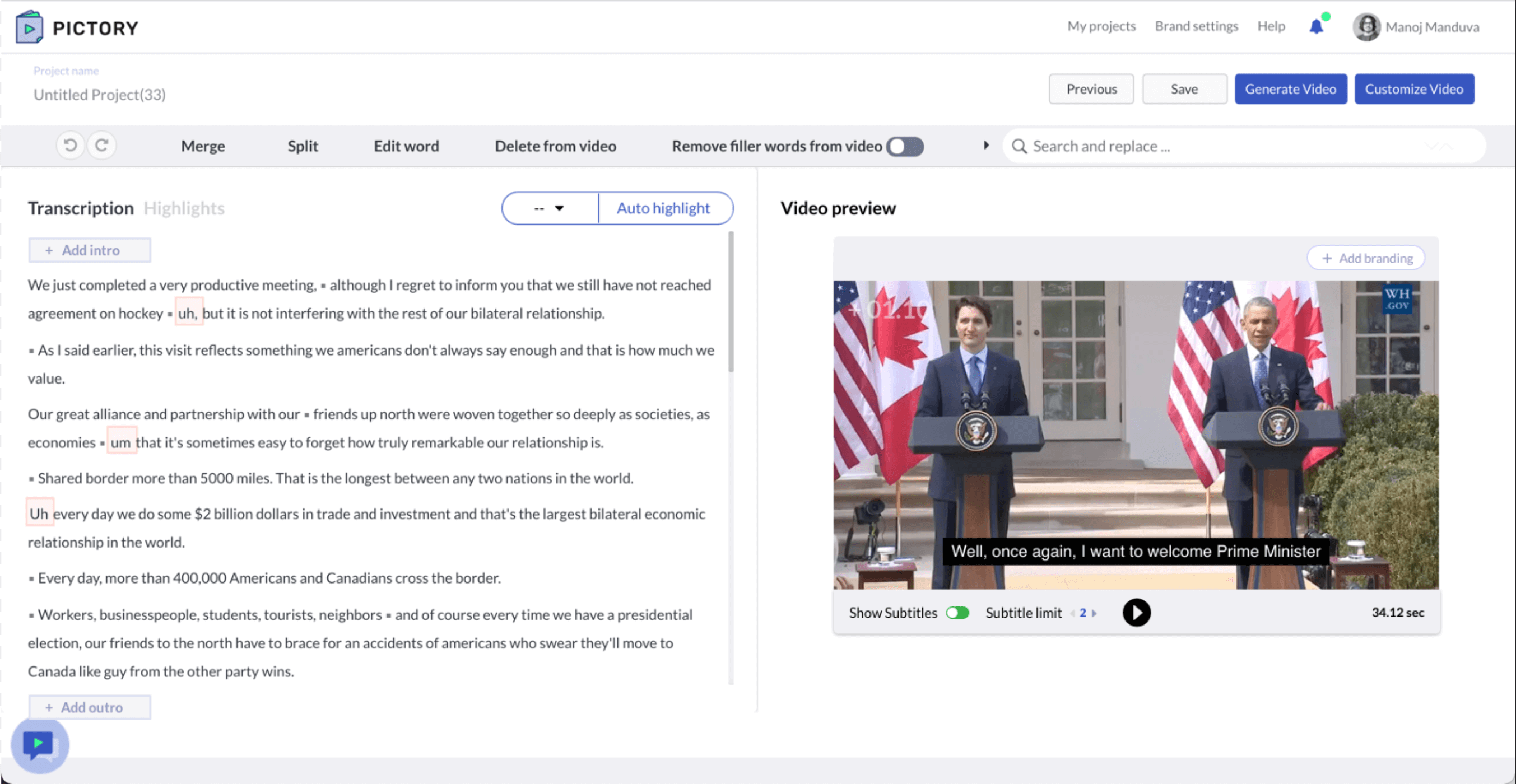
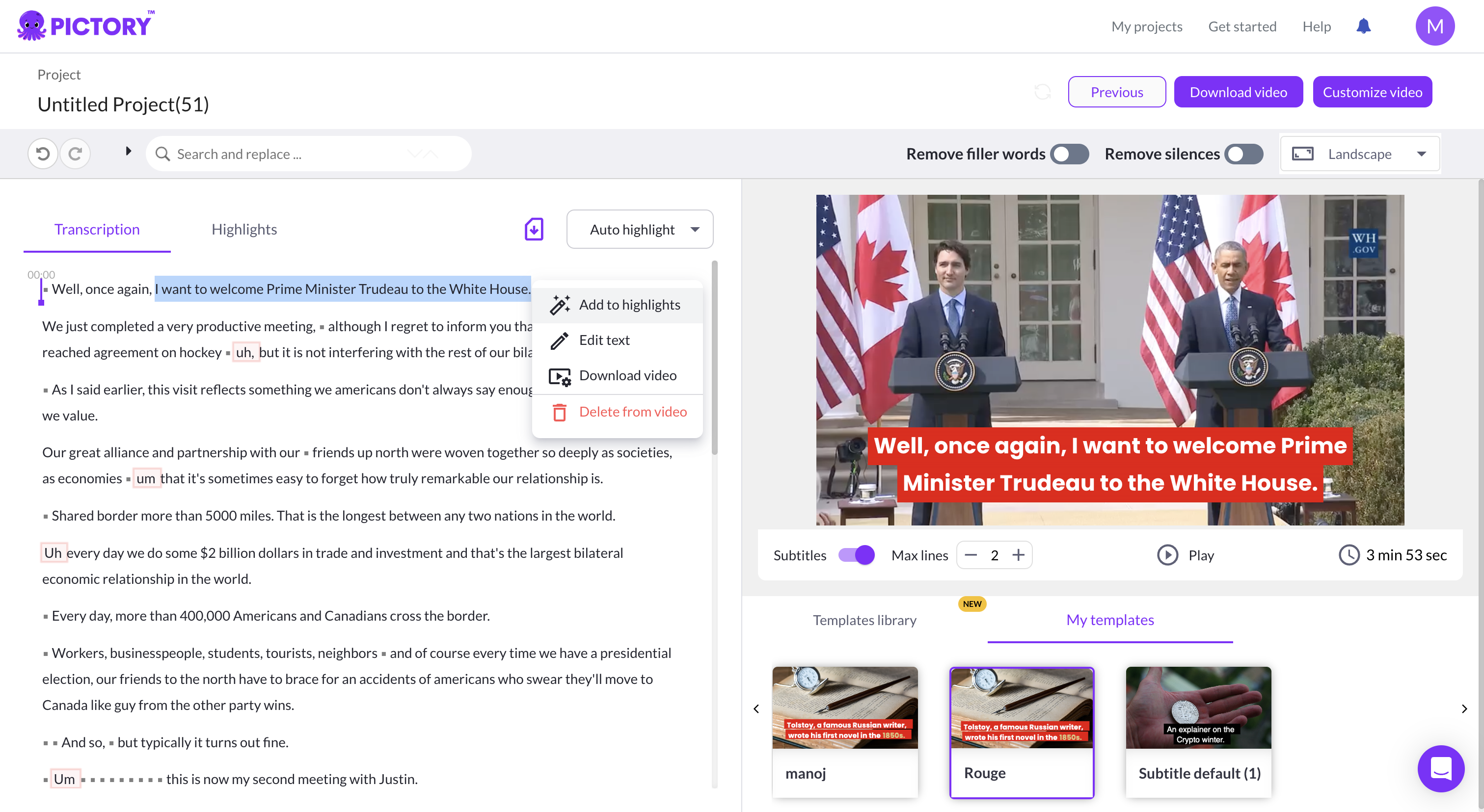
I designed a split screen interface, with Video preview on the right and transcribed text on the left.
There are actions to be taken on the top bar and on contextual menu. All the video tools are available on the video preview window.
There have been multiple iterations of this step and the UI has evolved over a period.
Highlights from the video
AI powered snippets.
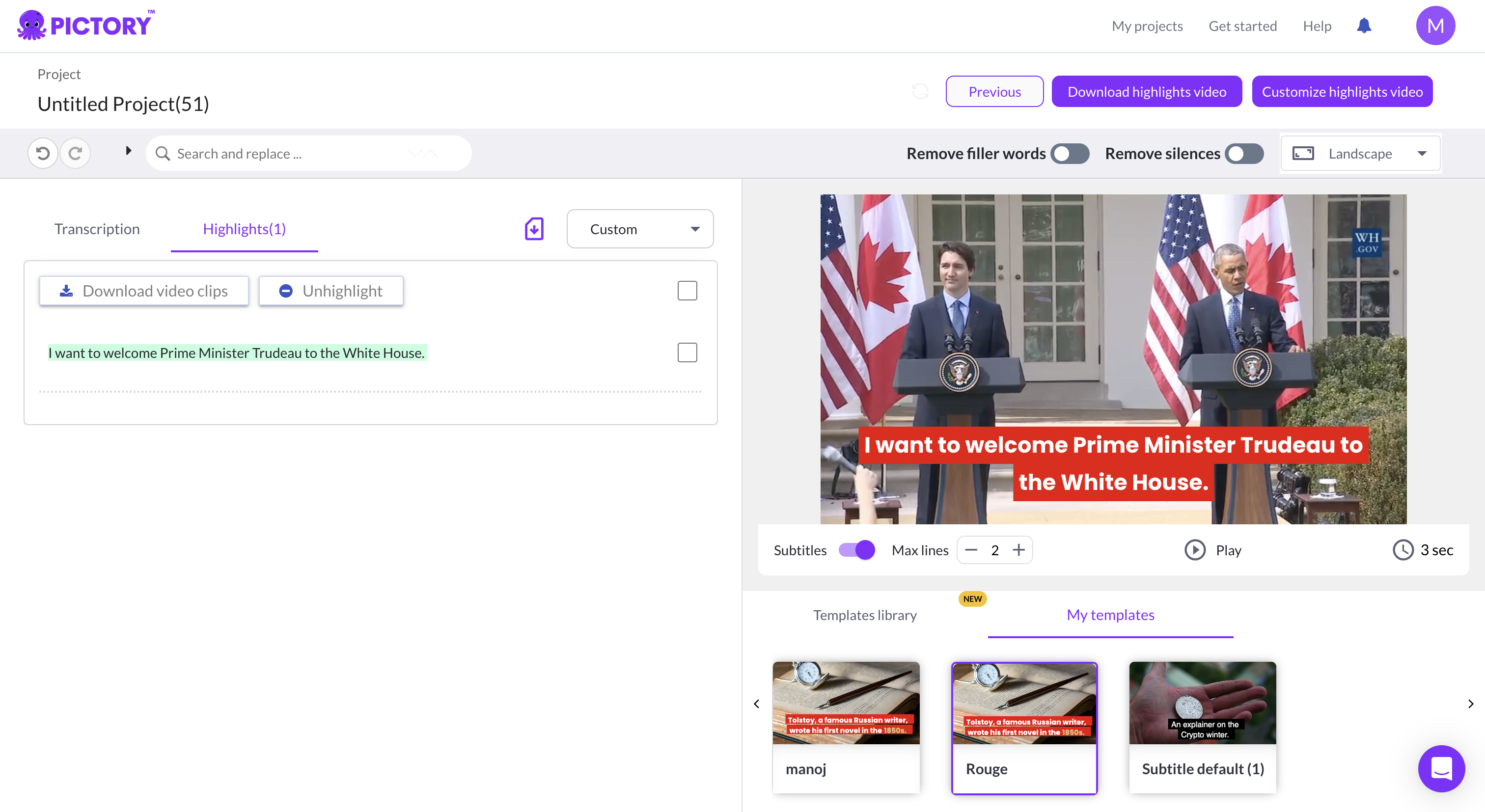
Users could manually highlight videos to create snippets or let AI choose the best scenes from the transcribed text.
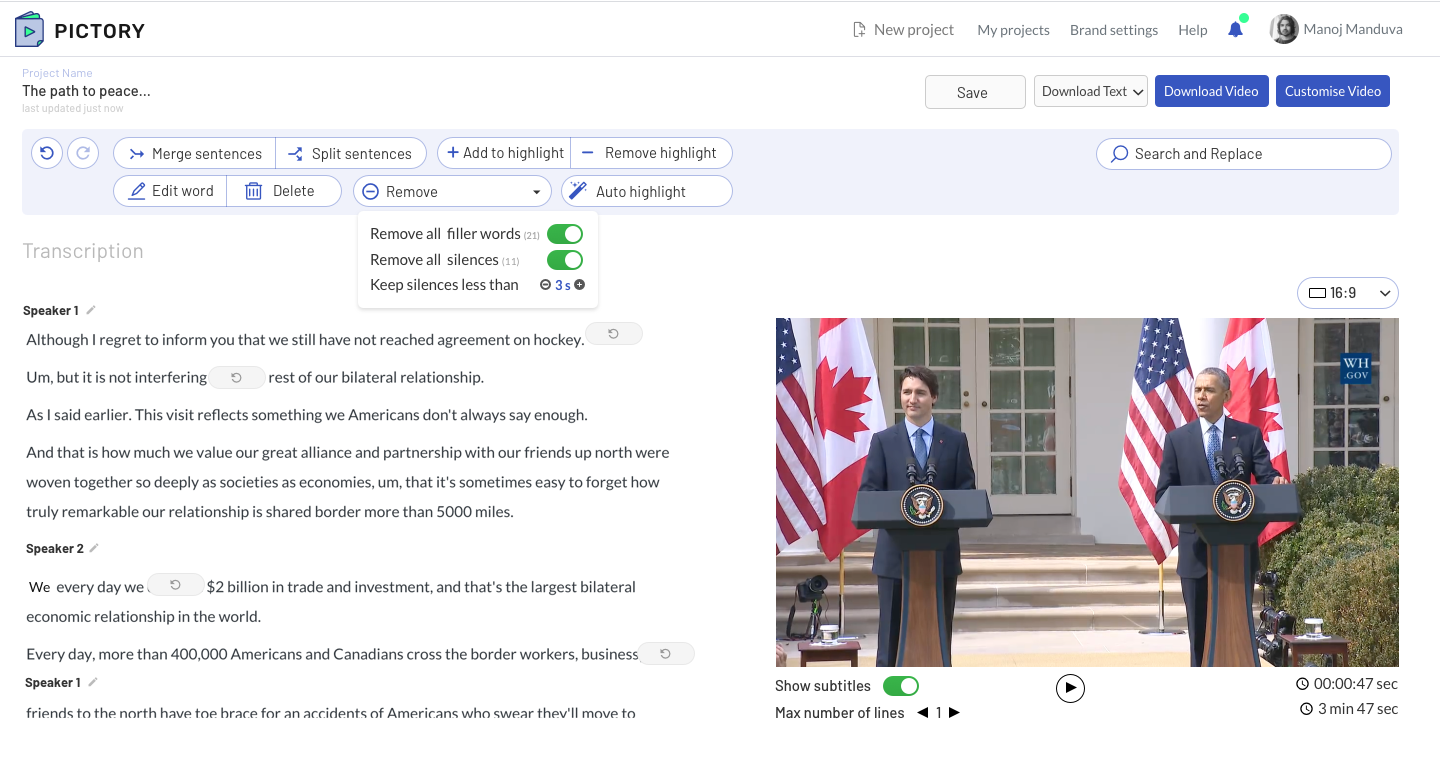
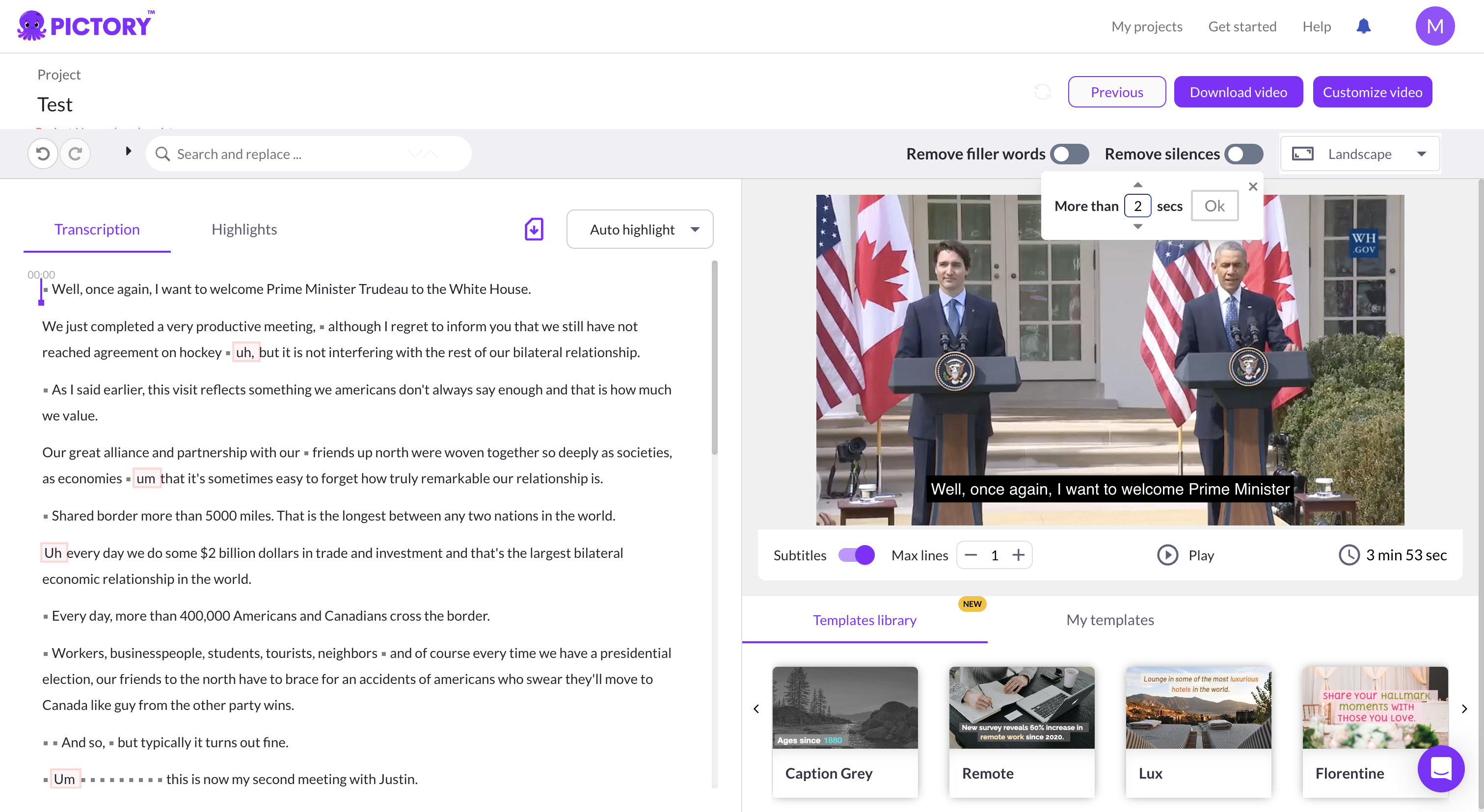
Also users can remove silenses or filler words from the video with a toggle switch. There were many iterations
on the best way to set a threshold to se the silence duration.
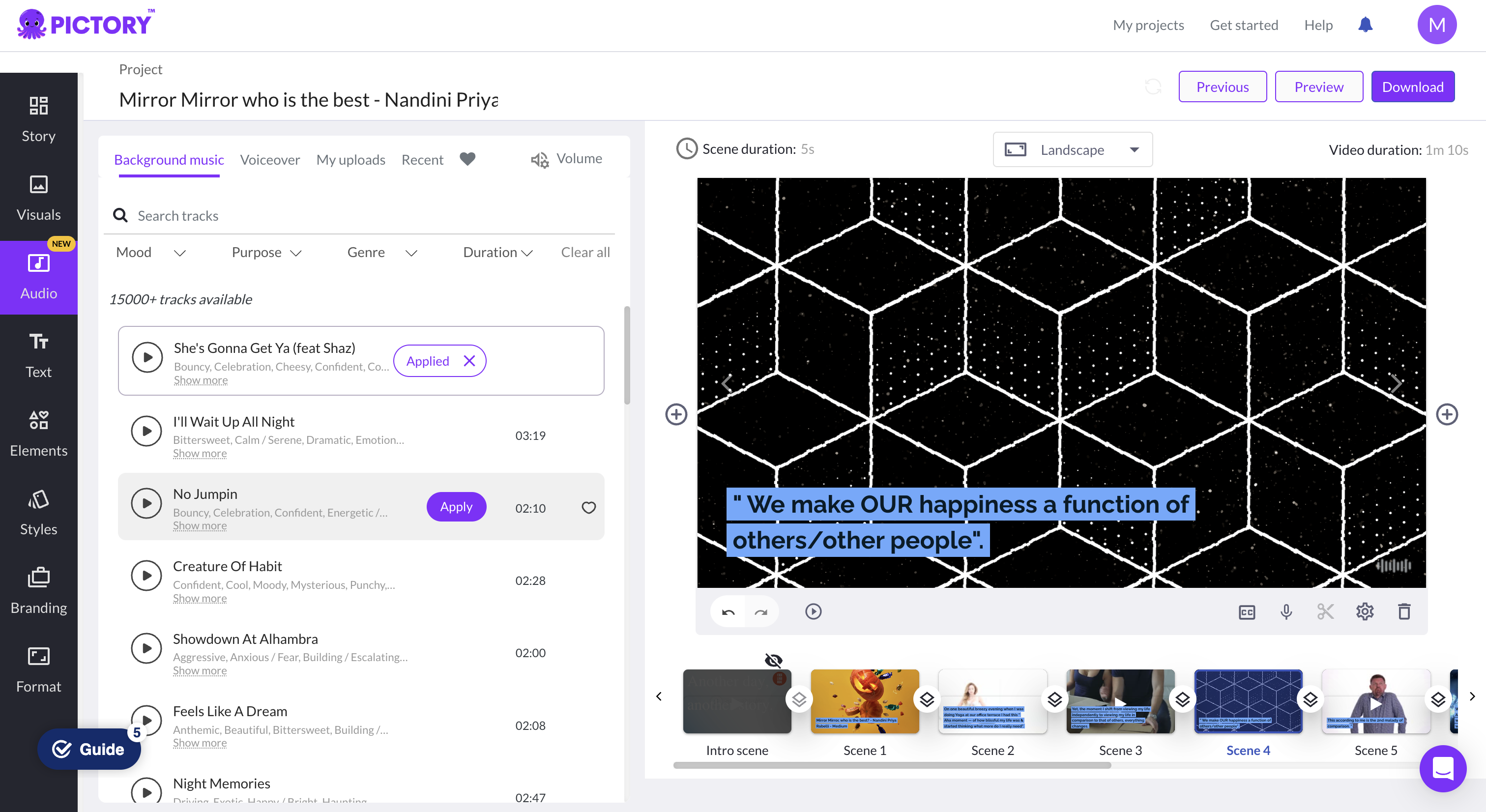
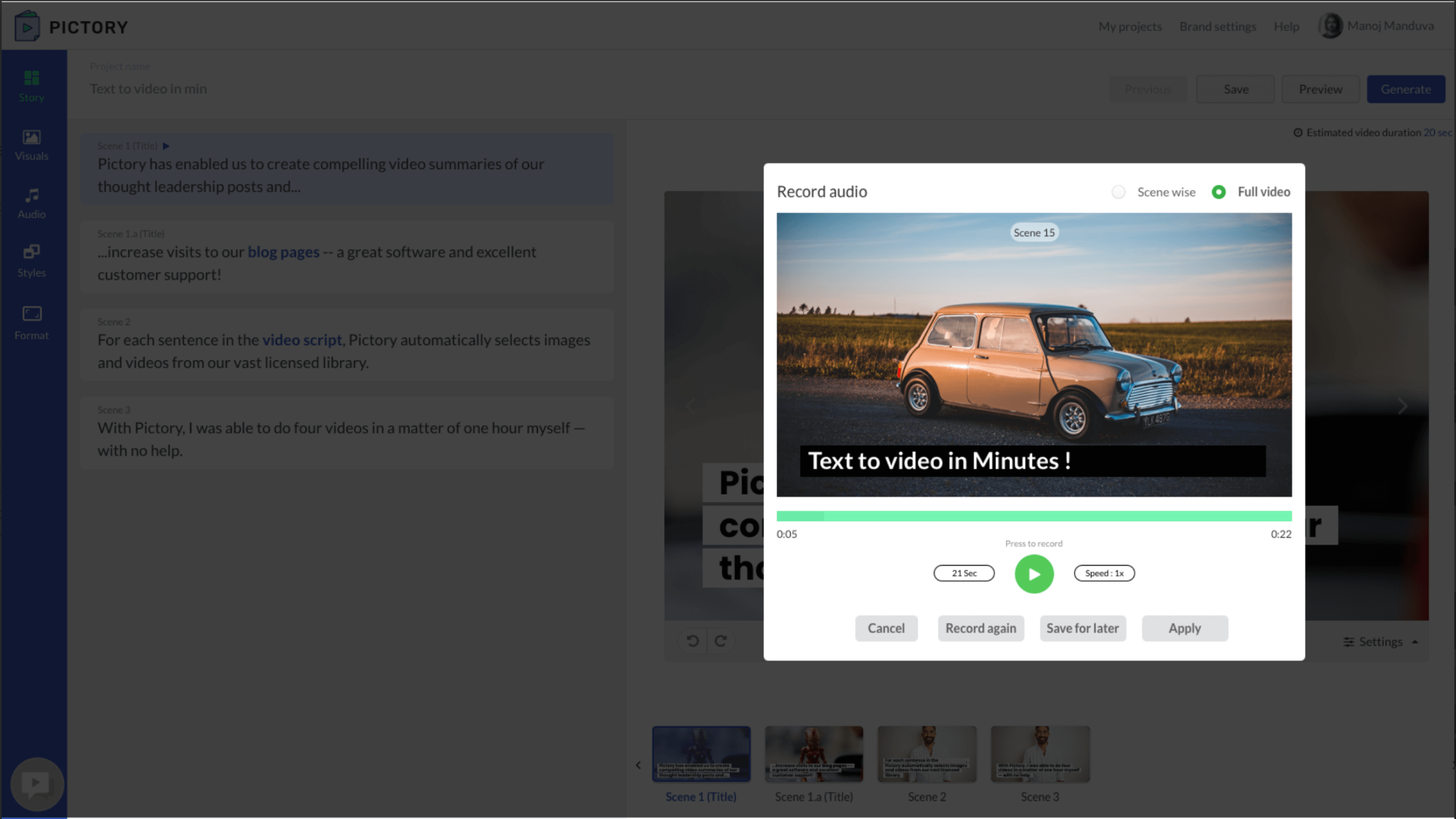
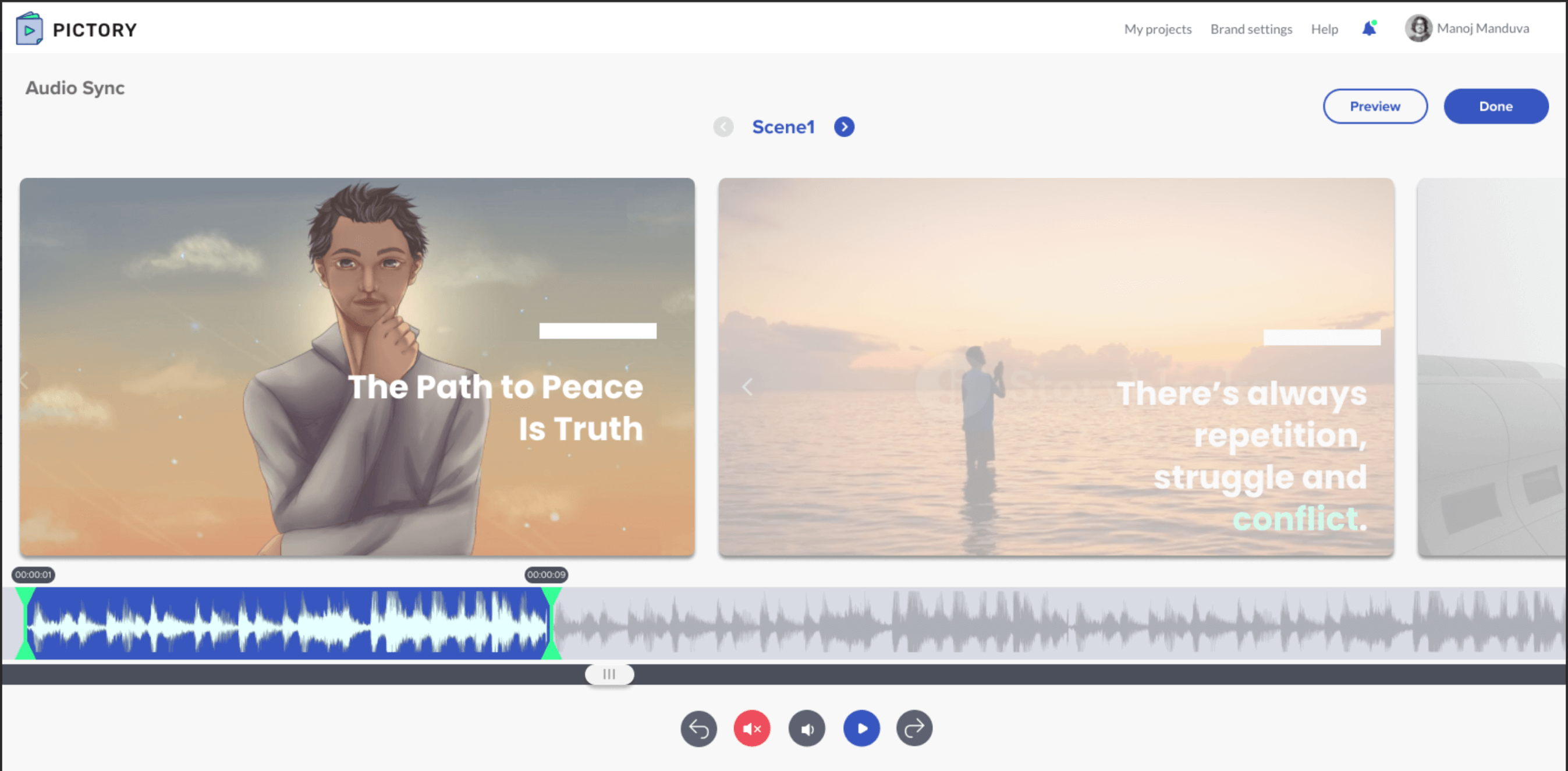
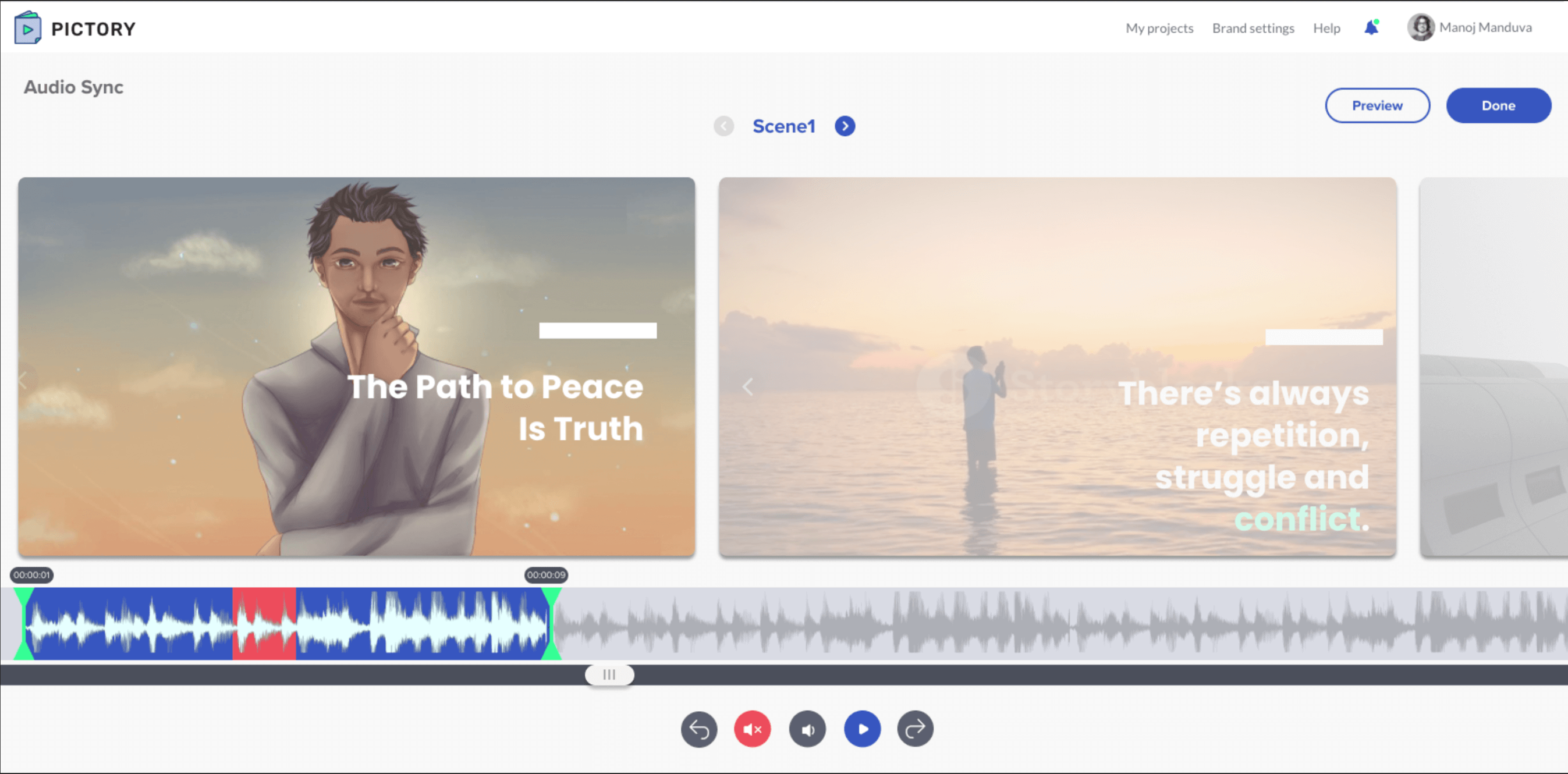
Audio enabled
Recording audio scene by scene.
DESIGN SYSTEM & SCALE
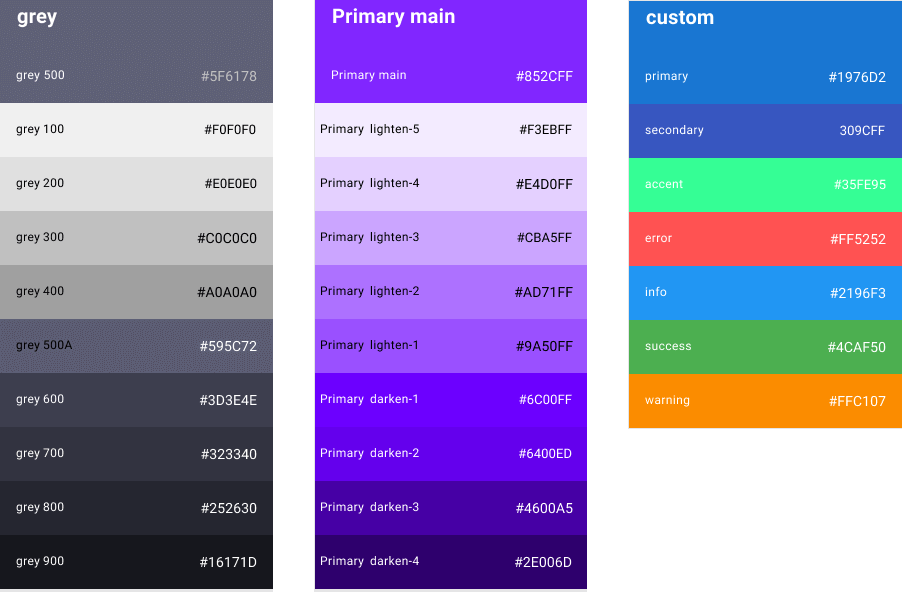
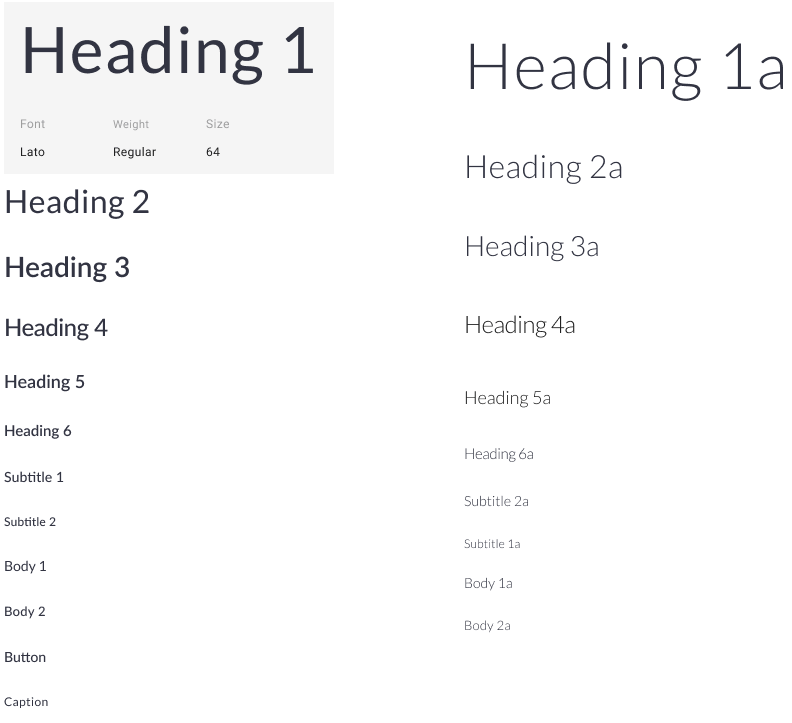
Adopting Material UI
DESIGN ITERATIONS
Simplifying the Edit Video Toolkit
Execution & tradeoffs
Leading from product direction to delivery
Execution story to add
- How you translated the strategy into requirements, milestones, and an executable sequence.
- How you aligned the Product Head, CEO, CTO, engineering, design, and other partners.
- The hardest customer, business, technical, or schedule tradeoff—and the decision you made.
- A moment where you influenced the outcome without formal authority.
Launch, metrics & impact
Measuring whether the product created value
Evidence to add
- Launch scope, rollout approach, and how you prepared customers or internal teams.
- Activation, time-to-first-video, export completion, repeat creation, retention, or revenue.
- Qualitative customer evidence when exact metrics cannot be shared.
- What the team changed after launch based on usage or feedback.
- For every metric, state the measurement period and clarify your contribution to the result.